Manages learning. It cannot tell you which capability the business is missing.
Workforce readiness software for HR teams
See your skill gaps.
Decide whether to train or hire.
See which capabilities your workforce has today, what is missing or at risk, and turn every priority into targeted development, hiring or knowledge transfer.
Founder-led · 30 minutes · Bring one role or workforce question
Watch the demo2:19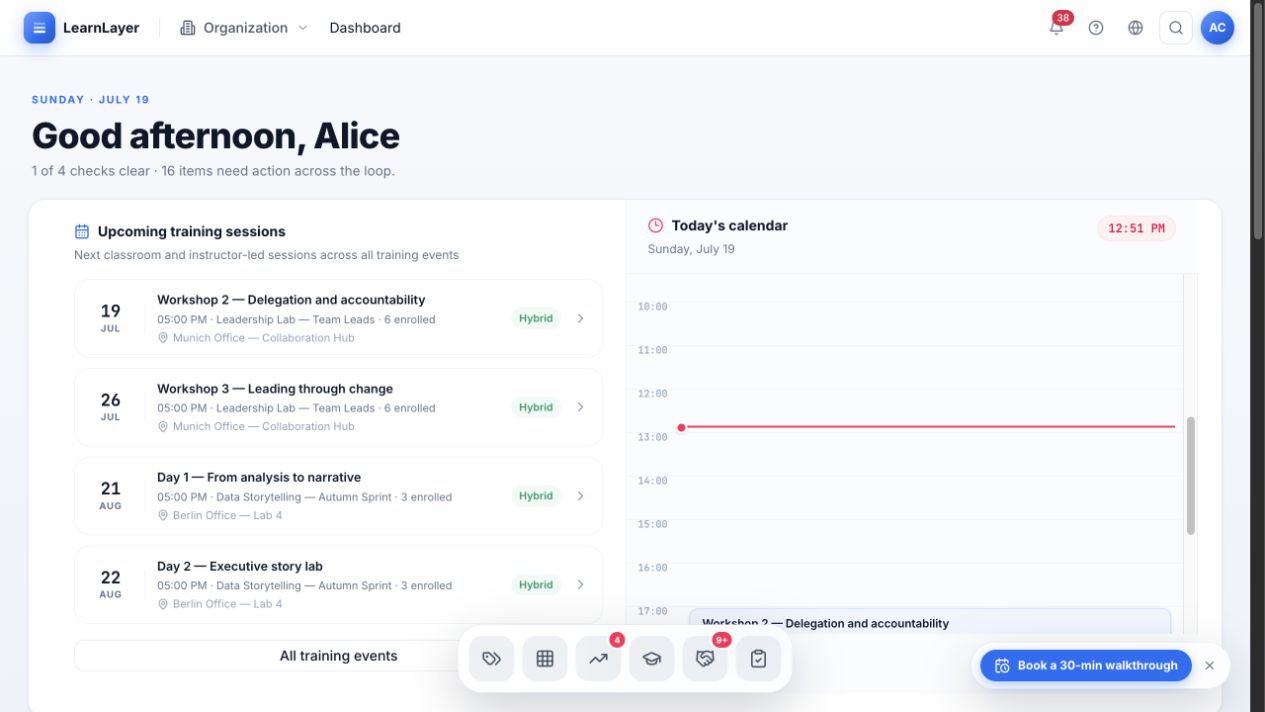
Real integration pathsConnect through available connectors, SSO, APIs or configured workflows.EU cloud or on-premiseChoose the deployment model that fits your data policy.Audit-ready evidenceKeep decisions, certifications and outcomes inspectable.Review integrations →
See LearnLayer Workforce in action.
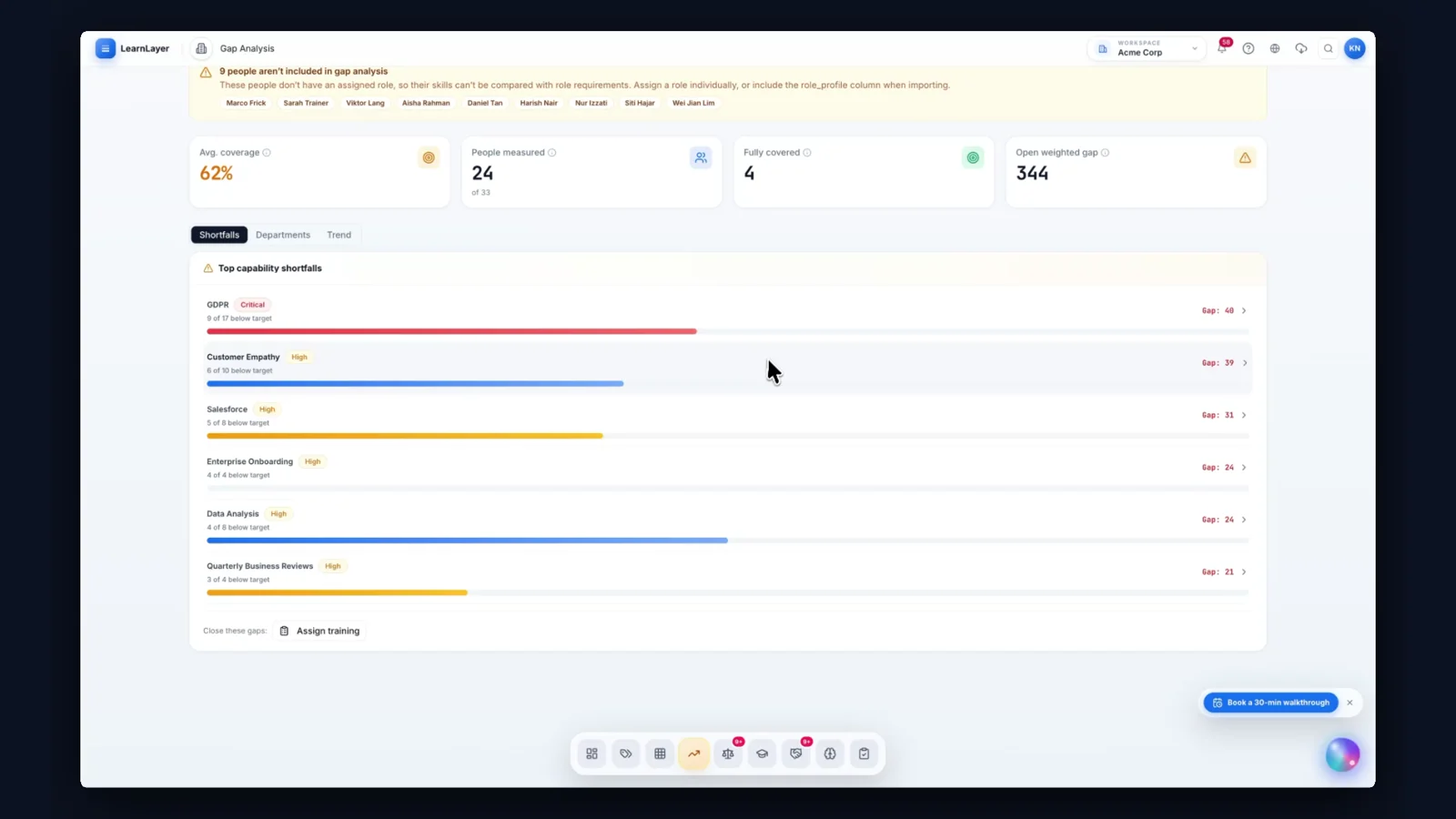
Find the skill gaps that matter. See how to close them with internal learning through the integrated LMS or external hiring through the integrated ATS.
The problem
HR can see course attendance. Not capability.
Most HR teams know who attended which training. What stays unclear is which skills are actually missing, whose knowledge is about to walk out of the door, and whether development, an internal move or a new hire is the right answer.
Why three tools still leave the gap
Manages applications. It does not know what your existing people can already do.
Holds skills as a snapshot that is out of date the week after it is built.
LearnLayer connects all three through one shared role and skill model, so a gap turns straight into a decision: develop, redeploy or hire.
Six problems LearnLayer solves
- 01No skill transparency
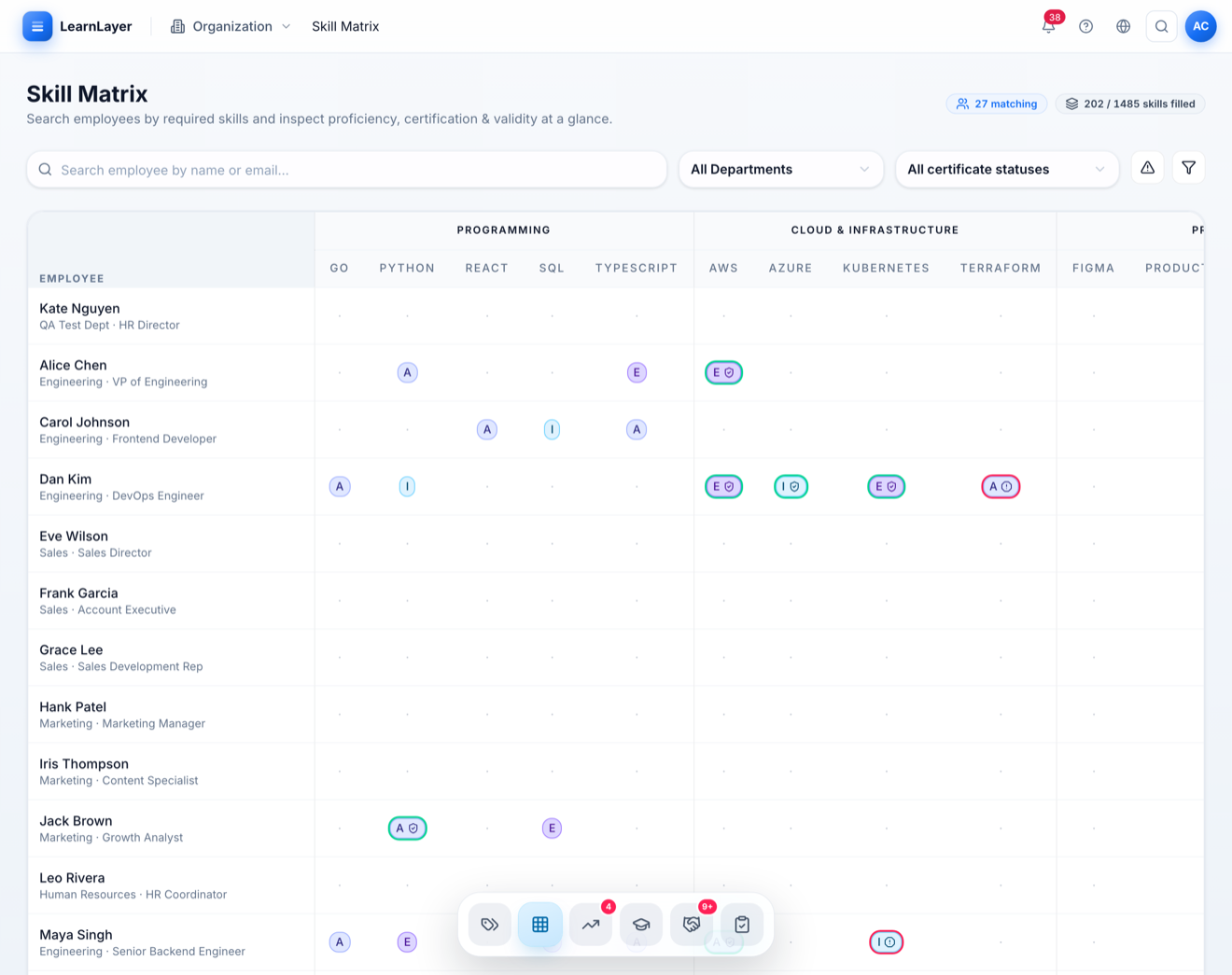
Roles, target levels and evidence in one live matrix, so capability is inspectable instead of assumed.
- 02Gaps nobody can locate
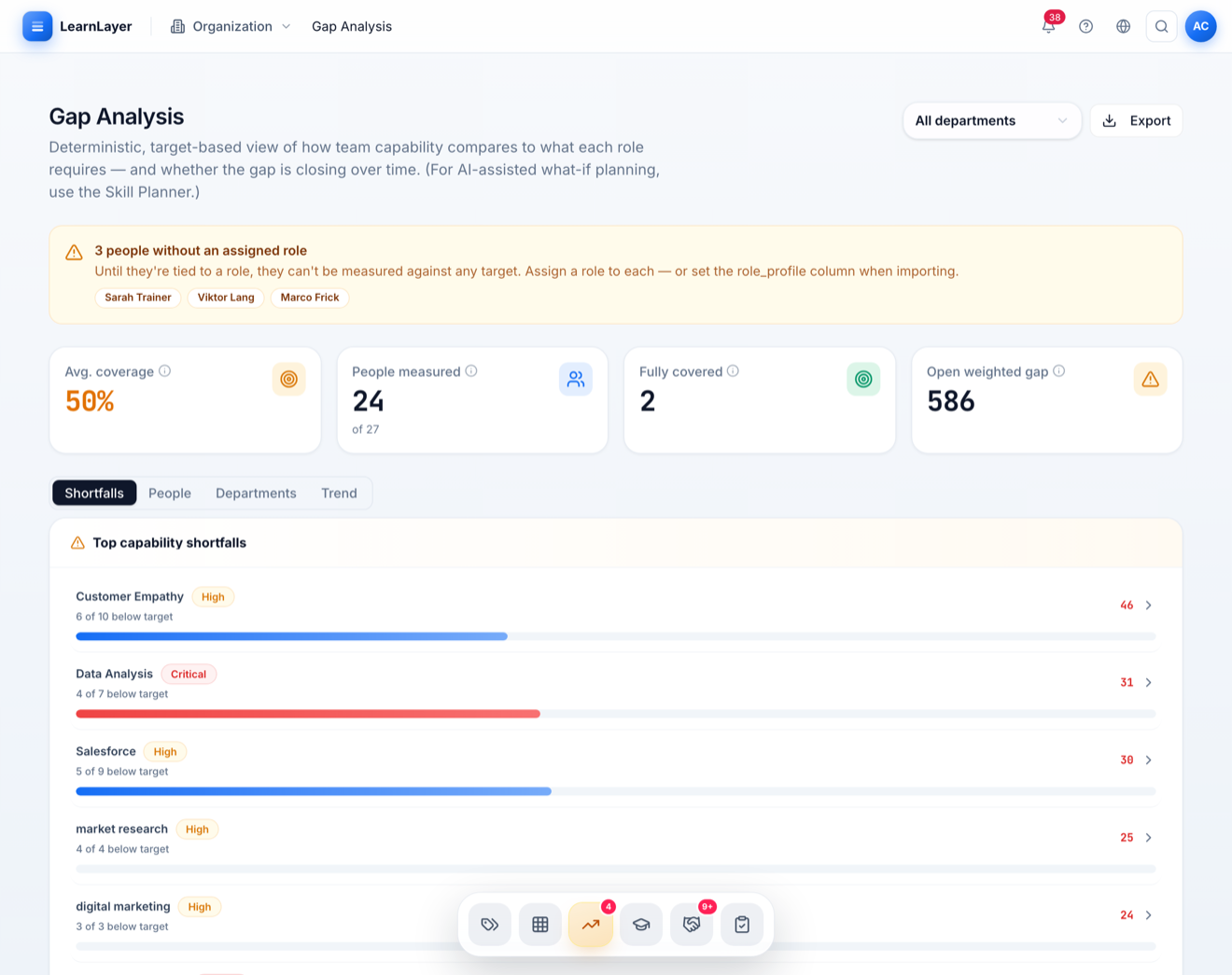
Gaps by person, role, team and department, ranked by business consequence rather than by volume.
- 03No view of future needs
Future skills and an industry benchmark put tomorrow’s requirements next to today’s coverage.
- 04Action that never follows the analysis
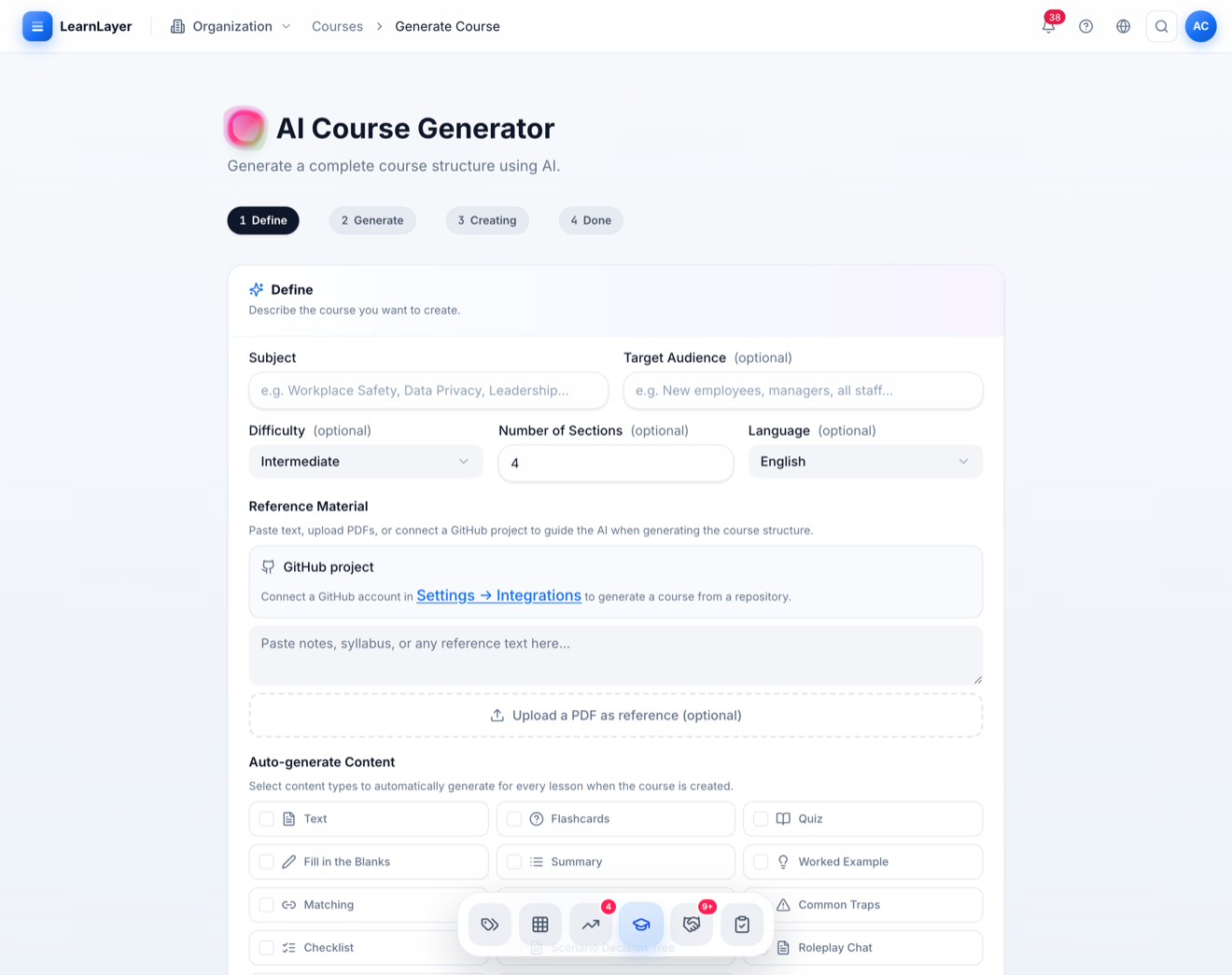
A gap triggers owned action: team staffing, courses, mentoring and certificates, tracked through to evidence.
- 05Critical knowledge walking out
Retirement and succession risk surfaced early, then expert knowledge captured as reusable learning.
- 06Hiring blind to internal capability
An included ATS reads every application against the role profile and prices the upskilling gap.
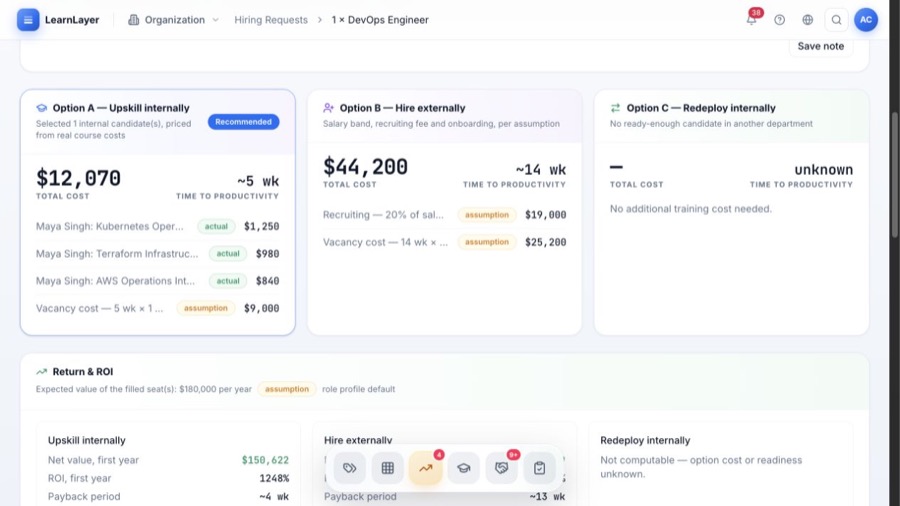
Develop, redeploy or hire
One gap. Three answers with very different price tags.
Because learning, capability and recruiting sit in one system, the cost and the time to readiness of each route can be compared before the decision is made.
Course costs come straight from the LMS. The person and their context stay in the business.
A matching person from the skills matrix, topped up with targeted courses.
Recruiting, onboarding and ramp-up run through the included ATS.
Illustrative figures, based partly on assumptions. In the platform your own rates, course costs and lead times replace them.
The Workforce skill loop
From an HR signal to measurable action.
Six connected decisions replace the handoffs between HR data, spreadsheets, learning tools and reporting.
01 / 06
Set role expectations
Define required skills, target proficiency and evidence before development starts.
See this workflow →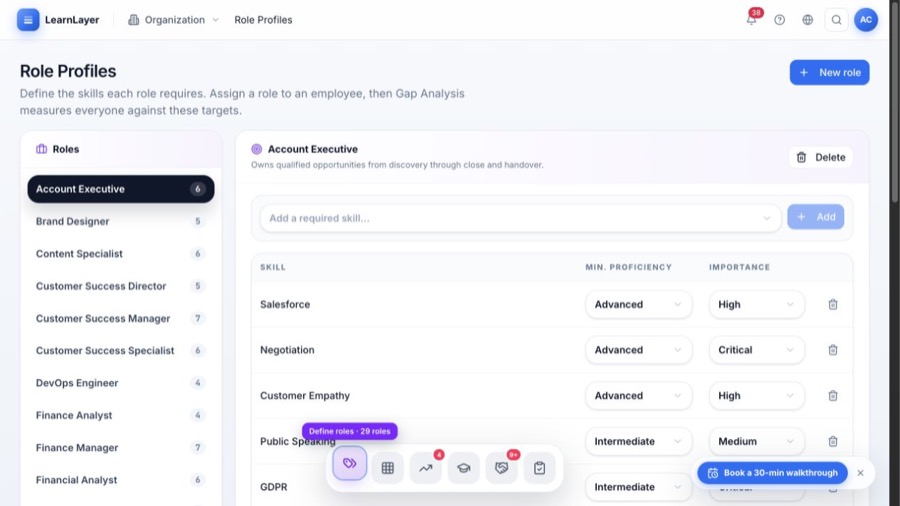
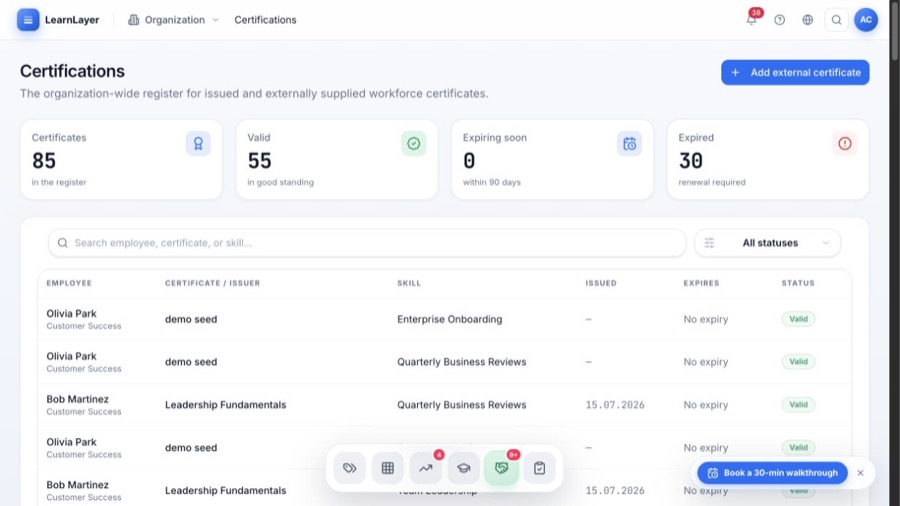
The HR command center
One space for every workforce decision.
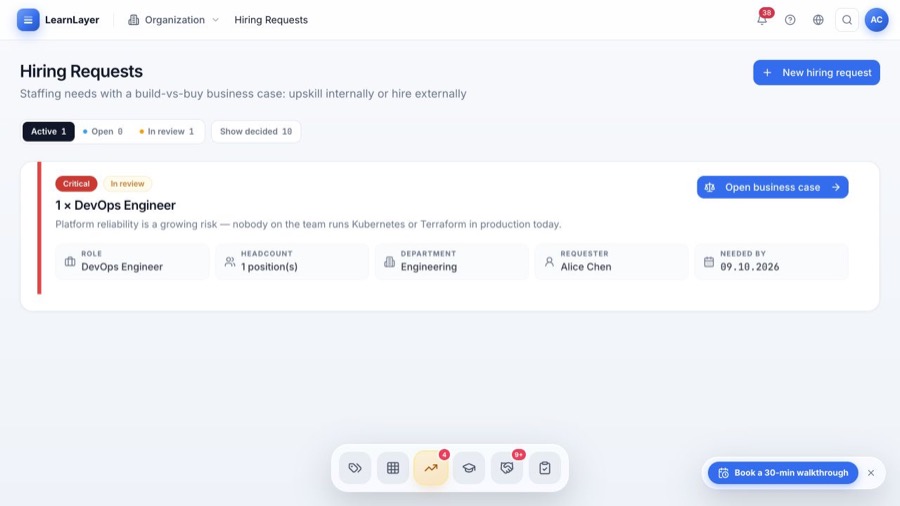
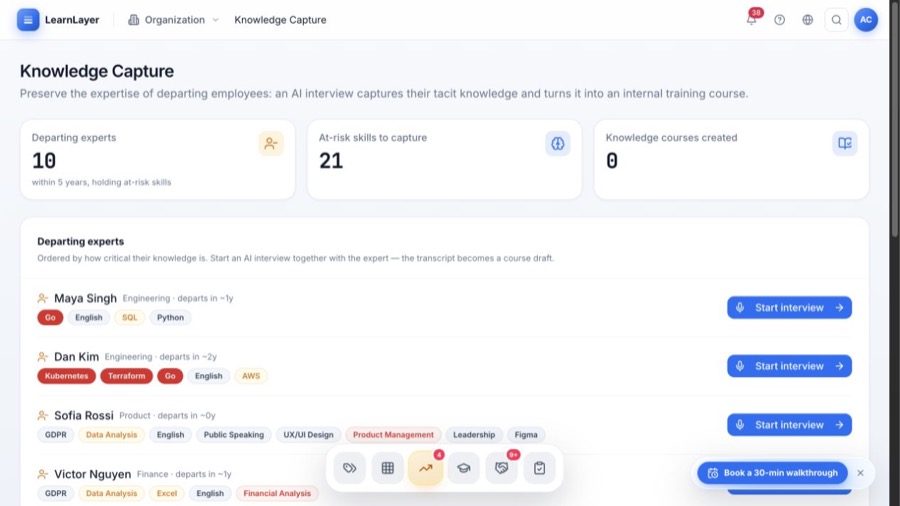
Connect your HR ecosystem
Connect LearnLayer to the systems HR already uses.
The systems below can connect to LearnLayer through available connectors, SSO, APIs or configured workflows. We confirm the exact data flow and setup for your environment before implementation.
 WorkdayEnterprise HCM
 Oracle Cloud HCMEnterprise HCM
 SAP SuccessFactorsEnterprise HCM
 ADP Workforce NowHR & payroll
 UKG ProHCM & workforce
 DayforceHCM & payroll
 BambooHRHRIS
 PersonioHRIS
 HiBobHRIS
 Sage HRHRISDEDeelGlobal payroll
 RipplingHR & IT
 RemoteGlobal payroll
 GustoPayroll & HR
 Dynamics 365ERP & HROracle NetSuiteCloud ERP
 OdooERP
 GreenhouseRecruitingLELeverRecruiting
 SmartRecruitersRecruiting
 WorkableRecruiting
 CornerstoneLearning & talent
 DoceboLearning
 MoodleLearning
 OktaIdentity & SSO
 Microsoft EntraIdentity & SSO
 Google WorkspaceIdentity & work
 SlackCommunication
 Microsoft TeamsCommunication
 ZoomCommunication
 ServiceNow HRSDHR service delivery
 ZapierAutomation
 ChatGPTAI workspace
 ClaudeAI workspaceWorkdayEnterprise HCMOracle Cloud HCMEnterprise HCMSAP SuccessFactorsEnterprise HCMADP Workforce NowHR & payrollUKG ProHCM & workforceDayforceHCM & payrollBambooHRHRISPersonioHRISHiBobHRISSage HRHRISDEDeelGlobal payrollRipplingHR & ITRemoteGlobal payrollGustoPayroll & HRDynamics 365ERP & HROracle NetSuiteCloud ERPOdooERPGreenhouseRecruitingLELeverRecruitingSmartRecruitersRecruitingWorkableRecruitingCornerstoneLearning & talentDoceboLearningMoodleLearningOktaIdentity & SSOMicrosoft EntraIdentity & SSOGoogle WorkspaceIdentity & workSlackCommunicationMicrosoft TeamsCommunicationZoomCommunicationServiceNow HRSDHR service deliveryZapierAutomationChatGPTAI workspaceClaudeAI workspaceWorkdayEnterprise HCMOracle Cloud HCMEnterprise HCMSAP SuccessFactorsEnterprise HCMADP Workforce NowHR & payrollUKG ProHCM & workforceDayforceHCM & payrollBambooHRHRISPersonioHRISHiBobHRISSage HRHRISDEDeelGlobal payrollRipplingHR & ITRemoteGlobal payrollGustoPayroll & HRDynamics 365ERP & HROracle NetSuiteCloud ERPOdooERPGreenhouseRecruitingLELeverRecruitingSmartRecruitersRecruitingWorkableRecruitingCornerstoneLearning & talentDoceboLearningMoodleLearningOktaIdentity & SSOMicrosoft EntraIdentity & SSOGoogle WorkspaceIdentity & workSlackCommunicationMicrosoft TeamsCommunicationZoomCommunicationServiceNow HRSDHR service deliveryZapierAutomationChatGPTAI workspaceClaudeAI workspaceWorkdayEnterprise HCMOracle Cloud HCMEnterprise HCMSAP SuccessFactorsEnterprise HCMADP Workforce NowHR & payrollUKG ProHCM & workforceDayforceHCM & payrollBambooHRHRISPersonioHRISHiBobHRISSage HRHRISDEDeelGlobal payrollRipplingHR & ITRemoteGlobal payrollGustoPayroll & HRDynamics 365ERP & HROracle NetSuiteCloud ERPOdooERPGreenhouseRecruitingLELeverRecruitingSmartRecruitersRecruitingWorkableRecruitingCornerstoneLearning & talentDoceboLearningMoodleLearningOktaIdentity & SSOMicrosoft EntraIdentity & SSOGoogle WorkspaceIdentity & workSlackCommunicationMicrosoft TeamsCommunicationZoomCommunicationServiceNow HRSDHR service deliveryZapierAutomationChatGPTAI workspaceClaudeAI workspace
HCM & HRISPayrollERP & financeRecruitingLearning & talentIdentity & SSOCommunicationAPI & automationReview available integrations →
Frequently asked questions
What HR teams ask before a demo.
Clear answers about where LearnLayer fits, what it connects and how to start with a focused workforce problem.
01What is LearnLayer Workforce?+
A workforce-readiness platform that connects role expectations, skills, development, evidence and reporting so HR can move from a capability question to an accountable action.
Explore the platform →02How is it different from a traditional LMS?+
An LMS primarily manages learning delivery. LearnLayer starts with the workforce need, identifies the relevant gap, coordinates the response and tracks evidence back to readiness.
Explore the platform →03Does LearnLayer replace our HRIS or ERP?+
No. It is designed to work as the capability and development layer around your existing people systems, not become another system of record.
Explore the platform →04Can it connect with our current HR tools?+
Yes. LearnLayer connects through available connectors, SSO, APIs and configured workflows across HRIS, HCM, payroll, ERP, recruiting, learning, identity and communication systems. We confirm the exact data flow for your environment before implementation.
Explore the platform →05What deployment and governance options are available?+
The platform is designed around controlled access, auditable workflows and deployment choice. The right architecture depends on your security, data and infrastructure requirements.
Explore the platform →06Where should an HR team start?+
Start with one workforce question, a critical role, capability gap, compliance risk or future skill need, then use a focused demo to map the workflow and required data.
Explore the platform →
Bring one workforce question.
Leave with a practical next step.
A focused 30-minute founder-led walkthrough for HR and the stakeholders who need to trust the operating model.
↗ Map your workforce use caseFounder-led walkthrough · No sales handoff